 RiseUp Today
Alarm clock for Android
Wake up to a voice you love.
Your own words. Or someone you love. Played at the minute you set, over the lock screen. Not a beep. Something worth getting up for.
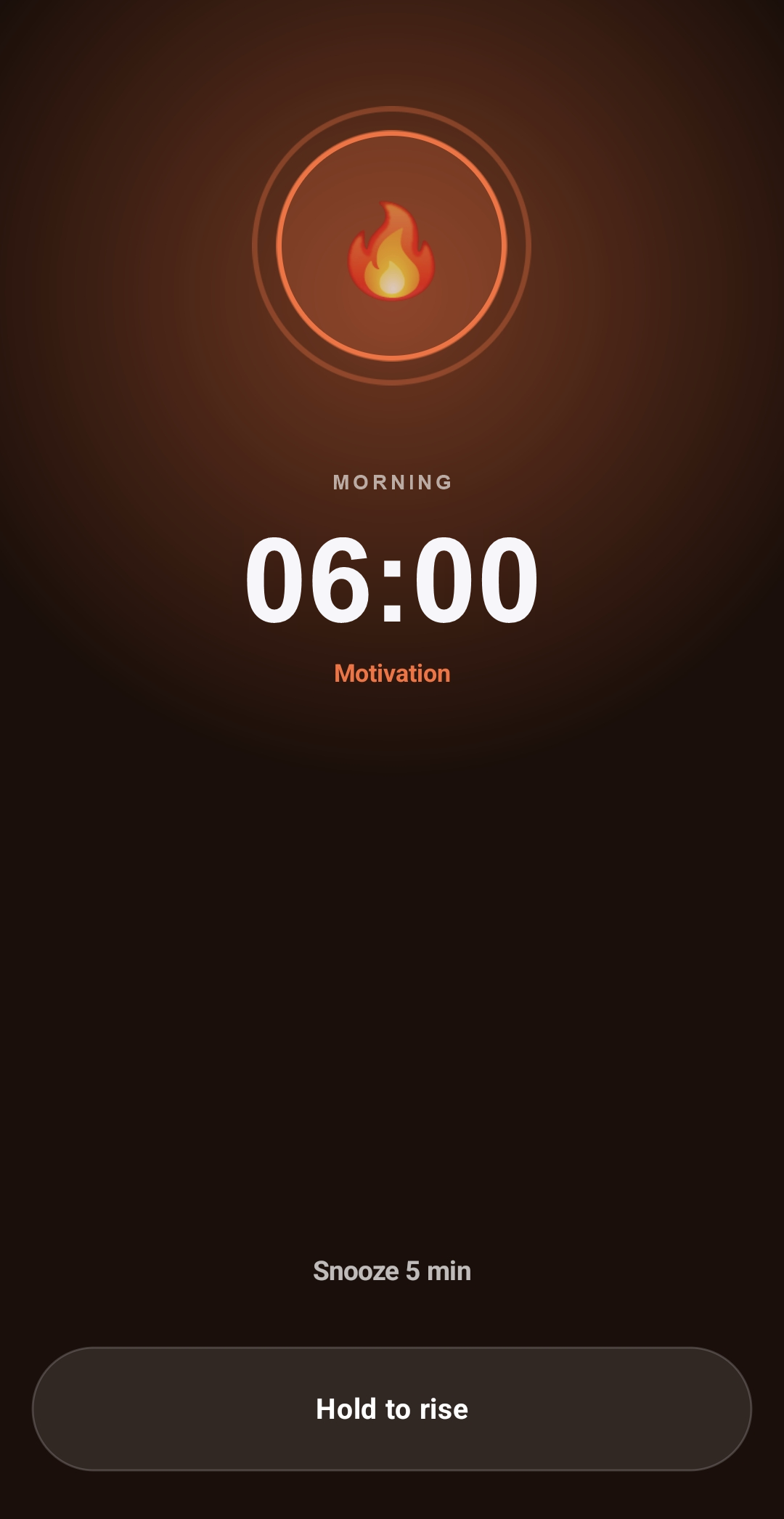
Hold to rise. It is meant to be hard to do by accident.
Alarm clock for Android
Your own words. Or someone you love. Played at the minute you set, over the lock screen. Not a beep. Something worth getting up for.
Hold to rise. It is meant to be hard to do by accident.
How it works
Three steps, and the last one is waking up.
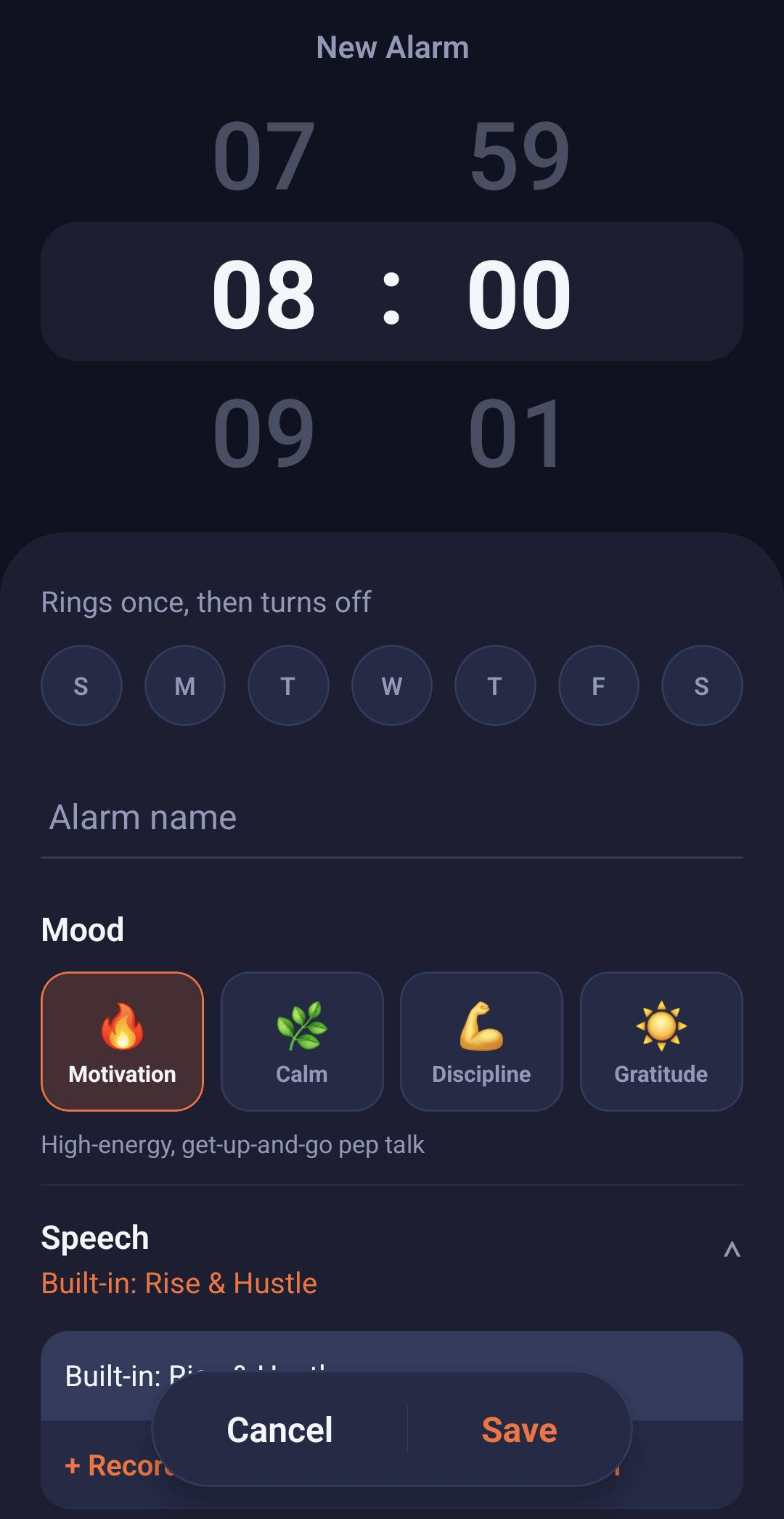
Scroll the time. Pick the days. Choose a mood, and record a speech or import one.
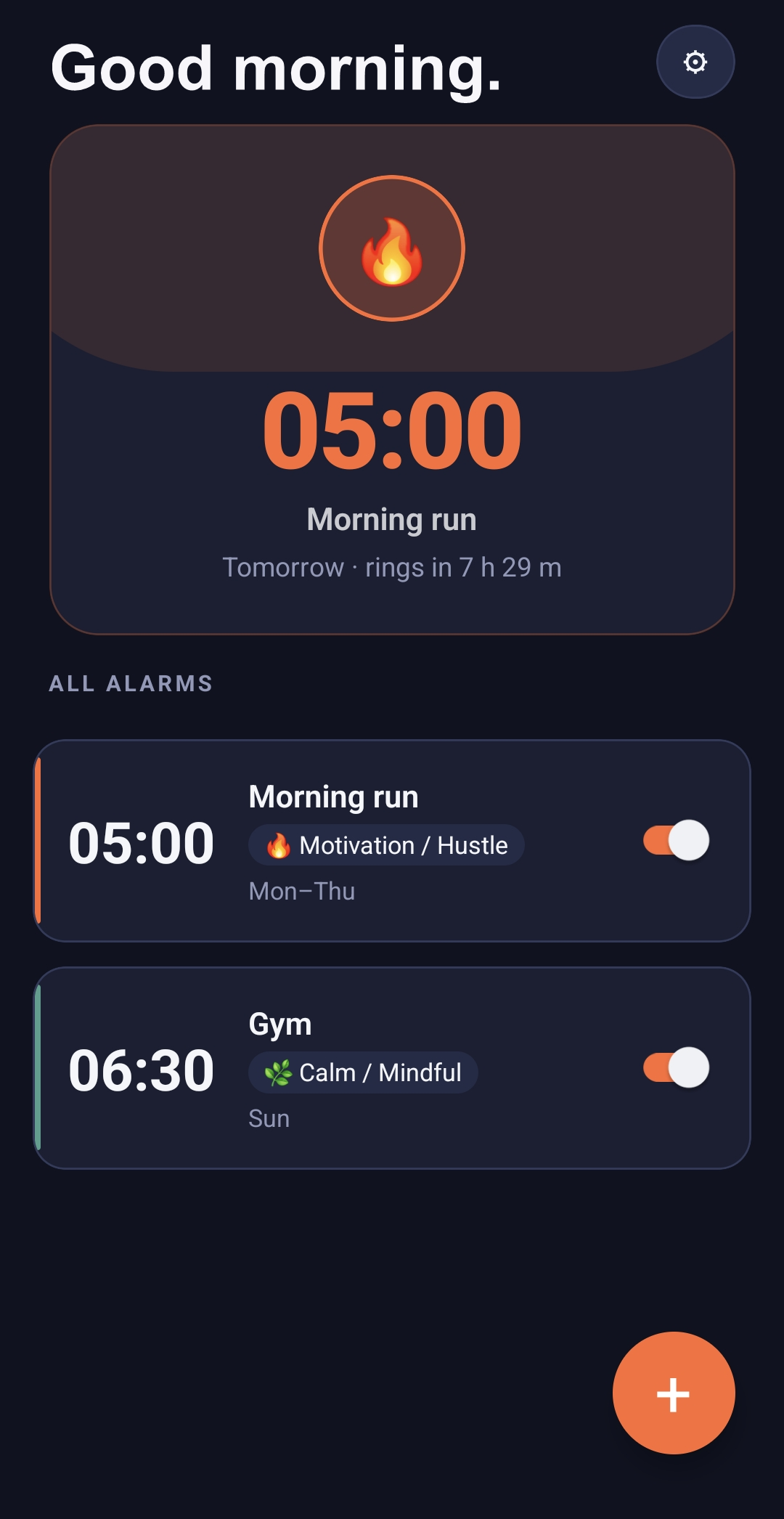
Your next alarm waits on the home screen, with a countdown. No account to make.
Your speech plays over the lock screen and keeps going until you hold to rise.
Four moods
Each mood has its own colour, so the screen you wake to feels like the speech you hear.
High-energy, get-up-and-go pep talk.
Gentle, grounding, low-pressure wake-up.
Direct, no-excuses accountability.
Warm, appreciative, optimistic framing.
Yours, and private
Nothing to sign up for, and nothing selling your mornings.
We never receive them. The only thing the app ever sends is an anonymous crash report if it breaks, and you can switch that off.
A guided setup walks you through the phone settings an alarm needs. If something later gets in the way, the app tells you.